 mandacode

Building a Home Cluster 1: Selecting Hardware and Configuring Network
Hardware selection and network configuration in the process of building a Proxmox VE-based home cluster
Hello.
In this article, I would like to discuss hardware selection and network configuration in the process of building a home cluster based on Proxmox VE.
Why Build a Home Cluster
Previously, I intended to handle various projects, development and testing workloads, and personal learning and experimentation all on AWS EKS. Indeed, I operated EKS for about three months and utilized it as a development server.
However, the cloud is expensive.(Very much so..)
I judged that relying entirely on external cloud services like EkS was excessive in a situation mainly comprising personal services and development clusters.
I determined that maintaining sustainability from a long-term perspective and preventing cost loss, even if there is slight instability, suits the current situation.
Hardware Selection
There was no suitable place to run the server, like a personal office, so several conditions had to be considered. After considering various conditions such as heat generation, noise issues, power supply, cooling, and network, I judged that the commonly configured server racks and mounts were inappropriate.
Also, since I am not currently operating commercial services, I aimed to minimize initial costs.
For these reasons, I set the following criteria to select the optimal hardware.
**Price**It should be cheap.
It should be almost inaudible**Quiet**and**Heat Generation**should be manageable.
**Small**spaceit should be installable.
should have**Performance**to handle existing workloads.
Especially since the price constraint was the biggest, I actively considered purchasing second-hand or from AliExpress.
As a result, I found that the Intel Xeon E5 series and Chinese motherboards are currently the cheapest and meet the above criteria. Also, as general home desktop cases, not server cases, are advantageous in terms of heat generation and noise, I judged that these are appropriate.
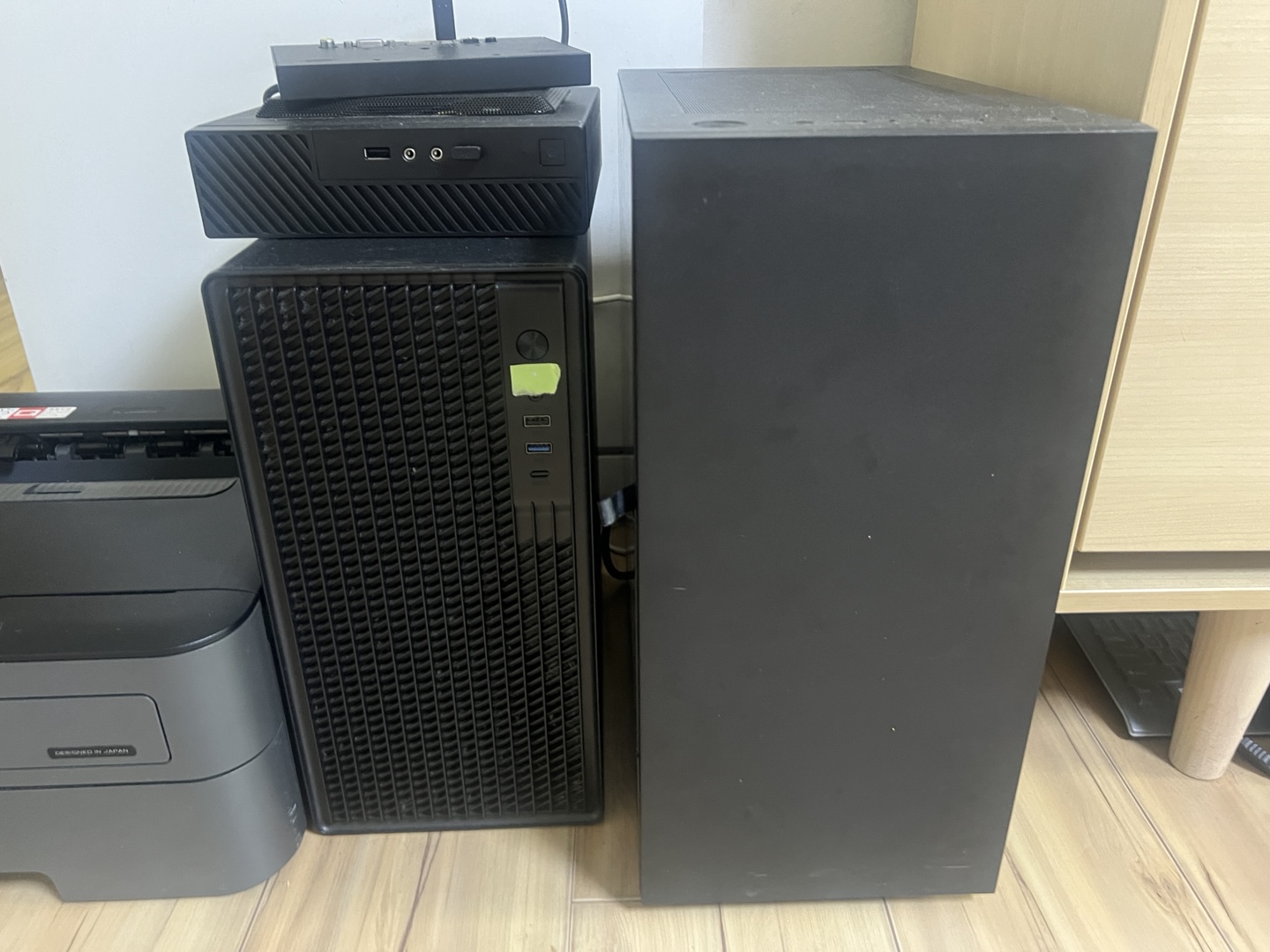
(Thus, the prepared computers)
Node Specifications
Intet E5 2680 v4
64GB Ram
512GB NVME M.2
1TB SSD
Two units were purchased and assembled, and one mini PC that was being used previously was prepared. The reason for using SSD instead of HDD is that I did not want to purchase additional storage while utilizing the existing storage device and considering the noise problem of HDD. Also, I plan to use Raspberry Pi to configure a Cloudflare tunnel and access the internal network through WireGuard.
Although I plan to use only one node for the time being to evaluate performance and stability, I plan to expand by connecting multiple nodes later.
Network Configuration
Although the optimal choice is to purchase a switch to separate the network and get a fixed IP to configure a load balancer and connect, I thought such configuration was excessive for the current use purpose, given the cost involved in getting a fixed IP and purchasing the switch.
Also, since the IPTIME router in use provides a DDNS issuance feature and supports features like port forwarding, I intended to actively utilize the functions supported by the router.
Therefore, with the current configuration, I plan to connect the nodes directly to the router, and if the number of connected nodes increases or if moving to another environment, I plan to consider using a separate switch.
flowchart LR
    A[Client] -->|"1. Query mandacode.com"| B[Cloudflare DNS]
    B -->|"2. CNAME response<br/>abcd.iptime.org"| A
    A -->|"3. Query abcd.iptime.org"| C[iptime DNS server]
    C -->|"4. A record response<br/>Public IP 1.2.3.4"| A
    A -->|"5. Request to connect to 1.2.3.4"| D[Router WAN]
    D -->|"6. NAT/Port forwarding"| E[Internal Server]
Hypervisor
I chose Proxmox VE as the hypervisor because it is free to use, easy to install, and supports various storage options and network virtualization features like ZFS and Ceph.
Additionally, the intuitive dashboard UI makes management convenient, which was a big advantage.
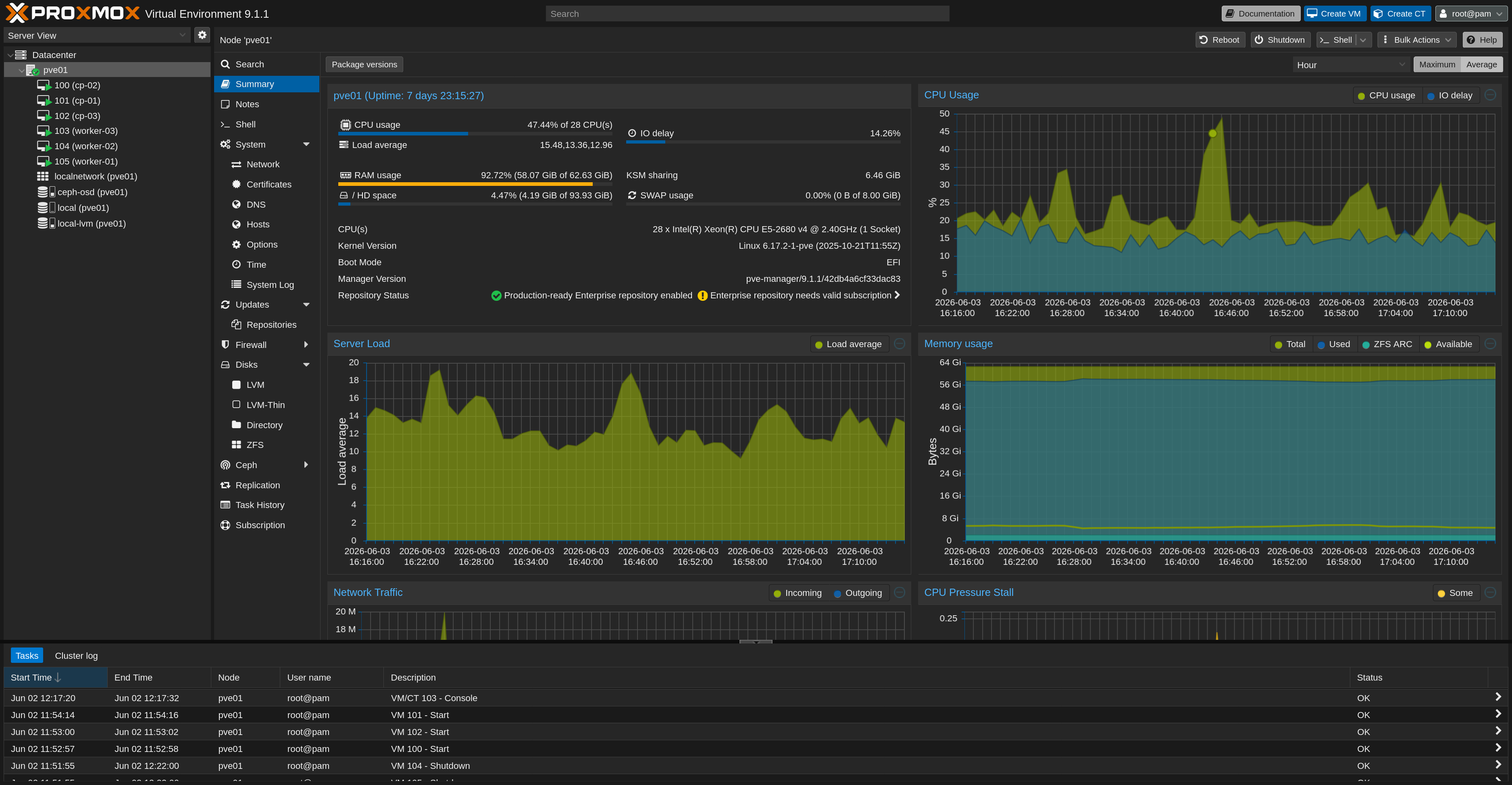
(Proxmox VE Dashboard)
Though I plan to use the Proxmox VE cluster feature to expand the cluster in the future, for now, since a single node is not completely stable, I intend to operate by managing the cluster state through ETCD backup and GitOps workflow.
In Conclusion
In the next article, I'll talk about installing Talos Linux on Proxmox VE and the process of configuring a Kubernetes cluster!